
Photoshop Unveils Advanced Tools for Greater Precision and Realism in 2026

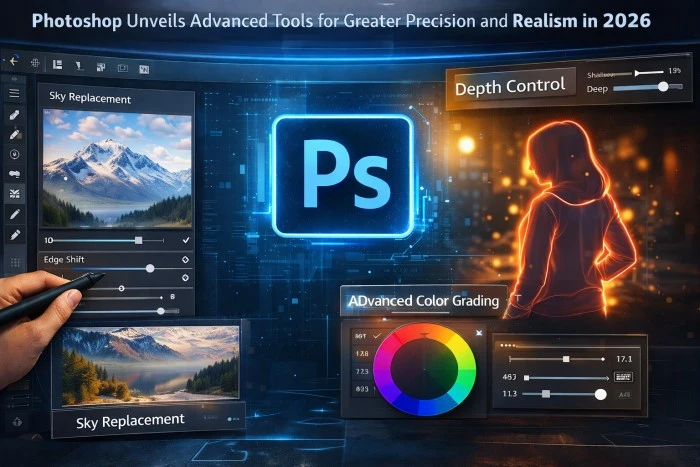
Photoshop Levels Up with Smarter, Faster Tools
Creative professionals, get ready to work faster and smarter. On January 27, 2026, Adobe announced major new innovations in Photoshop that deliver greater control, realism, and precision than ever before. These updates focus on reducing friction in daily workflows while giving artists and designers more powerful AI-assisted tools. From non-destructive adjustment layers to dramatically improved Generative Fill and a brand-new Dynamic Text feature, the updates help you move from idea to final pixel with less hassle and higher quality. Whether you’re a photographer, digital artist, or graphic designer, these changes are designed to keep your creative flow uninterrupted.
Clarity, Dehaze & Grain: New Non-Destructive Adjustment Layers
One of the biggest highlights is the introduction of Clarity, Dehaze, and Grain as fully editable adjustment layers. These tools are maskable and blendable, giving you precise, non-destructive control over your images. Clarity enhances subject structure and crispness, Dehaze cuts through atmospheric haze while balancing lighting, and Grain adds natural dimension and texture. Professionals can now apply these effects selectively without permanently altering the original image, making complex compositing and photo retouching much more flexible and forgiving.
Dynamic Text (Beta): Shape Your Words in Seconds
Say goodbye to tedious text warping workarounds. The new Dynamic Text feature (currently in beta) lets you transform any text layer into circular, arched, or bowed shapes with a single click. Simply select the text, choose your desired shape, and Photoshop automatically fits and resizes it perfectly along the path. You can then move, rotate, and refine the text easily. This tool is a huge time-saver for logo design, poster work, and social media graphics, bringing new creative possibilities to typography in Photoshop.
Major Upgrades to Generative Fill, Generative Expand & Remove Tool
Firefly-powered tools have received significant upgrades. Generative Fill, Generative Expand, and the Remove Tool now output at 2K resolution with sharper detail, fewer artifacts, and more natural lighting and depth. The latest Firefly models produce results that better match your text prompts and blend seamlessly with the surrounding image. These improvements make AI-assisted editing feel more reliable and professional, allowing creatives to generate or remove elements with greater realism and precision.
Reference Image for Generative Fill: Better Object Control
The new Reference Image feature for Generative Fill gives you much more control when adding or replacing objects. Upload a reference image, and the AI preserves the identity, geometry, scale, rotation, lighting, color, and perspective of the object while intelligently compositing it into your scene. This upgrade is now generally available and is especially useful for product visualization, concept art, and complex photo compositing where accuracy matters.
Real-World Benefits for Creative Professionals
These innovations directly address the biggest pain points for pros: time-consuming manual tasks that break creative momentum. Pam Clark from Adobe noted, “If you’re a creative professional, you move fast, chasing an idea from first spark to final pixel, and the smallest amount of friction can slow your creative output.” With these tools, artists can iterate faster, achieve more realistic results, and maintain full control over their work. The updates are now available in Photoshop desktop, with some features also rolling out on the web.
How These Changes Improve Daily Workflows
The combination of non-destructive layers, smarter generative tools, and precise text controls means fewer steps between concept and completion. Photographers can dehaze and add grain non-destructively, designers can create dynamic typography instantly, and digital artists can generate realistic elements with better accuracy. Overall, these features help maintain creative flow while elevating the quality and realism of final work.
The Future of Creative Control Is Here
Adobe’s January 2026 Photoshop updates prove that AI and human creativity work best when they work together. By delivering more control, realism, and precision, these innovations help creative professionals work faster without compromising quality. Whether you’re refining photos, designing graphics, or building complex compositions, the new tools remove friction and unlock new levels of expression. Update Photoshop today and experience the difference—these changes are set to become essential parts of every creative workflow in 2026 and beyond.