Best PC Gaming Upgrades to Buy in 2026 for Maximum Performance

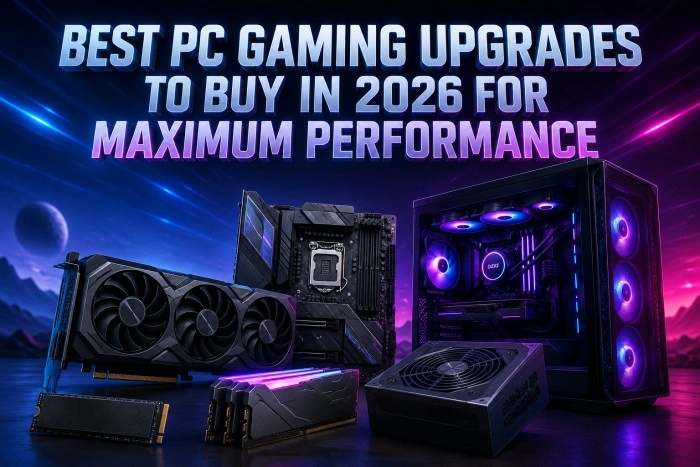
PC gaming continues to evolve rapidly, and modern games now demand faster hardware, better cooling, and smoother overall system performance. Whether you play competitive esports titles, massive open-world games, or high-resolution AAA releases, upgrading the right components can dramatically improve frame rates, loading speeds, and gameplay responsiveness. Many gamers also explore hardware marketplaces like Newegg to compare gaming GPUs, processors, SSDs, monitors, and other PC upgrade components before building or improving their setup.
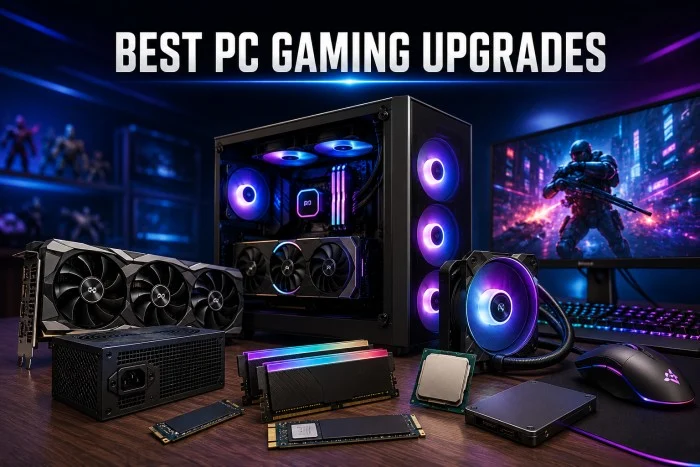
Instead of replacing an entire gaming setup, strategic upgrades often deliver the best value. From graphics cards to storage solutions, here are the top PC gaming upgrades worth considering in 2026 for maximum performance.
Why Upgrading Your Gaming PC Matters
Modern games are becoming more demanding because of:
- Ray tracing technology
- AI-enhanced graphics
- Higher texture resolutions
- Larger open-world environments
- Advanced physics engines
- 1440p and 4K gaming standards
Older hardware can struggle with:
- Low frame rates
- Long loading times
- Overheating
- Stuttering
- Bottlenecks during multitasking
Targeted upgrades help extend the life of your gaming PC while improving both gaming and productivity performance.
1. Upgrade Your Graphics Card (GPU)
The graphics card remains the single most important gaming upgrade.
A modern GPU improves:
- FPS (frames per second)
- Ray tracing performance
- Texture rendering
- Streaming quality
- AI upscaling technologies
Best GPU Features to Look for in 2026
- At least 12GB VRAM for modern AAA games
- AI frame generation support
- Efficient power consumption
- Advanced cooling systems
- HDMI 2.1 and DisplayPort support
Who Should Upgrade?
You should consider a GPU upgrade if:
- Games struggle above medium settings
- You game at 1440p or 4K
- Your GPU is more than 4–5 years old
- Ray tracing performance is poor
Modern GPUs can easily double gaming performance compared to older mid-range cards.
2. Install a High-Speed NVMe SSD
Storage upgrades provide one of the most noticeable real-world improvements. Traditional hard drives are now far too slow for modern gaming requirements.
Benefits of NVMe SSDs
- Faster game loading times
- Quicker Windows boot speeds
- Reduced texture pop-in
- Faster file transfers
- Improved open-world streaming performance
Many newer games are optimized specifically for SSD storage.
Recommended Upgrade Path
- Minimum: 1TB NVMe SSD
- Ideal for gamers: 2TB or larger
Large modern titles often exceed 100GB each, making extra storage essential.
3. Increase Your RAM Capacity
Insufficient RAM can cause:
- Stuttering
- Lag during multitasking
- Background app slowdowns
- Reduced minimum FPS
Recommended RAM in 2026
- 16GB: Entry-level gaming
- 32GB: Ideal for most gamers
- 64GB: Streaming, editing, and heavy multitasking
DDR5 memory is becoming increasingly popular due to:
- Higher bandwidth
- Better efficiency
- Improved future compatibility
Signs You Need More RAM
- Browser tabs slow down gaming
- Games freeze during loading
- Streaming impacts performance
- System usage constantly reaches near 100%
4. Upgrade Your CPU for Higher FPS
While GPUs dominate gaming visuals, CPUs strongly affect:
- Competitive gaming frame rates
- Open-world simulation performance
- AI processing
- Physics calculations
- Background multitasking
CPU bottlenecks are especially noticeable in:
- Battle royale games
- Strategy titles
- Simulation games
- Large multiplayer environments
What to Look for in a Gaming CPU
- High clock speeds
- Strong single-core performance
- Efficient thermal design
- Support for DDR5 and PCIe 5.0
Pairing a powerful GPU with an outdated CPU can severely limit performance gains.
5. Improve Cooling Systems
Heat is one of the biggest enemies of gaming performance.
Poor cooling can lead to:
- Thermal throttling
- FPS drops
- Loud fan noise
- Reduced hardware lifespan
Effective Cooling Upgrades
Air Coolers: Modern tower coolers offer excellent value and reliable cooling.
Liquid Cooling: AIO liquid coolers help:
- Lower CPU temperatures
- Improve sustained gaming performance
- Reduce noise levels
Case Airflow Improvements: Adding quality intake and exhaust fans can dramatically improve internal temperatures.
6. Upgrade to a High Refresh Rate Monitor
Many gamers upgrade internal hardware but continue using outdated displays. A high refresh rate monitor can make gameplay feel significantly smoother.
Recommended Gaming Monitor Specs
- 144Hz or higher
- 1440p resolution for balanced performance
- Low response time
- Adaptive sync support
Competitive gamers often prioritize refresh rate over ultra-high resolutions.
7. Get a Better Power Supply (PSU)
Power supplies are often overlooked during upgrades. Modern GPUs and CPUs require:
- Stable power delivery
- Higher wattage
- Better efficiency
Why PSU Quality Matters
A poor-quality PSU can:
- Cause instability
- Damage components
- Reduce system lifespan
Recommended Features
- 80 Plus Gold certification or better
- Modular cables
- Reliable brand reputation
- Future upgrade headroom
8. Upgrade Your Gaming Peripherals
Performance is not only about internal hardware. Gaming accessories can improve:
- Reaction times
- Comfort
- Precision
- Immersion
Valuable Peripheral Upgrades
- Mechanical keyboards
- Lightweight gaming mice
- Low-latency headsets
- Large mousepads
- Ergonomic gaming chairs
Small improvements in peripherals can significantly enhance competitive gaming experiences.
9. Improve Internet and Networking Performance
Online gaming performance heavily depends on network stability.
Recommended Networking Upgrades
- Wi-Fi 6 or Wi-Fi 7 routers
- Ethernet connections
- Low-latency gaming routers
- Faster broadband plans
Better networking reduces:
- Lag spikes
- Packet loss
- Connection instability
10. Upgrade Your PC Case
Modern gaming hardware generates substantial heat. An upgraded case improves:
- Airflow
- Cable management
- Dust control
- Cooling efficiency
Features to Look For
- Mesh front panels
- Multiple fan mounts
- GPU clearance space
- Good cable routing support
A quality case also simplifies future upgrades.
How to Prioritize Gaming PC Upgrades
Not every gamer needs every upgrade immediately.
Best Upgrade Order for Most Gamers
- GPU
- SSD
- RAM
- CPU
- Cooling
- Monitor
- PSU
- Peripherals
This order usually delivers the biggest performance improvements first.
Common Upgrade Mistakes to Avoid
- Buying an Overpowered GPU for an Old CPU: This creates bottlenecks that waste performance potential.
- Ignoring Power Supply Requirements: Always confirm your PSU can handle upgraded components safely.
- Forgetting About Cooling: High-end hardware without proper cooling often performs worse than expected.
- Overspending on RGB Instead of Performance: Visual aesthetics are secondary to stable performance and airflow.
- Future-Proofing Your Gaming Setup: Technology changes quickly, but smart upgrade choices can extend system lifespan for years.
Focus on:
- DDR5 compatibility
- PCIe 5.0 support
- Larger SSD capacities
- Efficient cooling
- Modular power supplies
Future-ready systems adapt more easily to upcoming game requirements.
Where Gamers Shop for PC Upgrades
Many PC enthusiasts compare hardware, gaming accessories, and custom PC parts through retailers such as Newegg because of its wide selection of gaming components, storage devices, processors, monitors, and PC building accessories.
Final Thoughts
The best gaming PC upgrades in 2026 focus on balanced performance rather than simply buying the most expensive components. A fast GPU, NVMe SSD, sufficient RAM, and effective cooling work together to create smoother gameplay, faster responsiveness, and a better overall experience.
Instead of upgrading everything at once, prioritize the components that currently limit your system the most. Even a few carefully selected upgrades can make an older gaming PC feel dramatically faster and more capable for modern games.